Database endpoints
A database endpoint (DatabaseEndpoint) names a SQL database that your rules query. Database endpoints are created and edited in the Data section. An endpoint holds the SQL queries that run against the database and the tables those queries read.
Create a Database Endpoint
- From the Data section menu, select the option add a database endpoint.
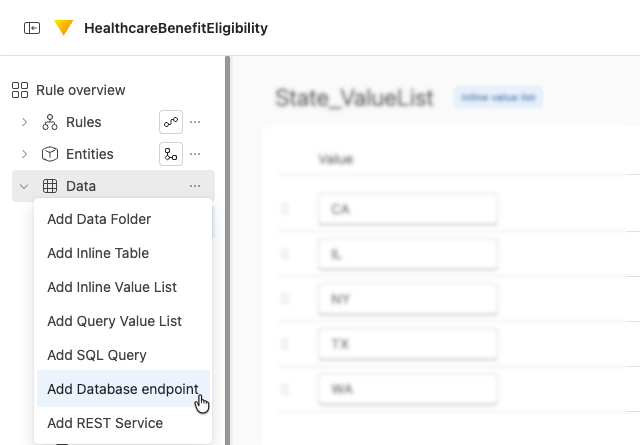
- Enter a name for the endpoint.
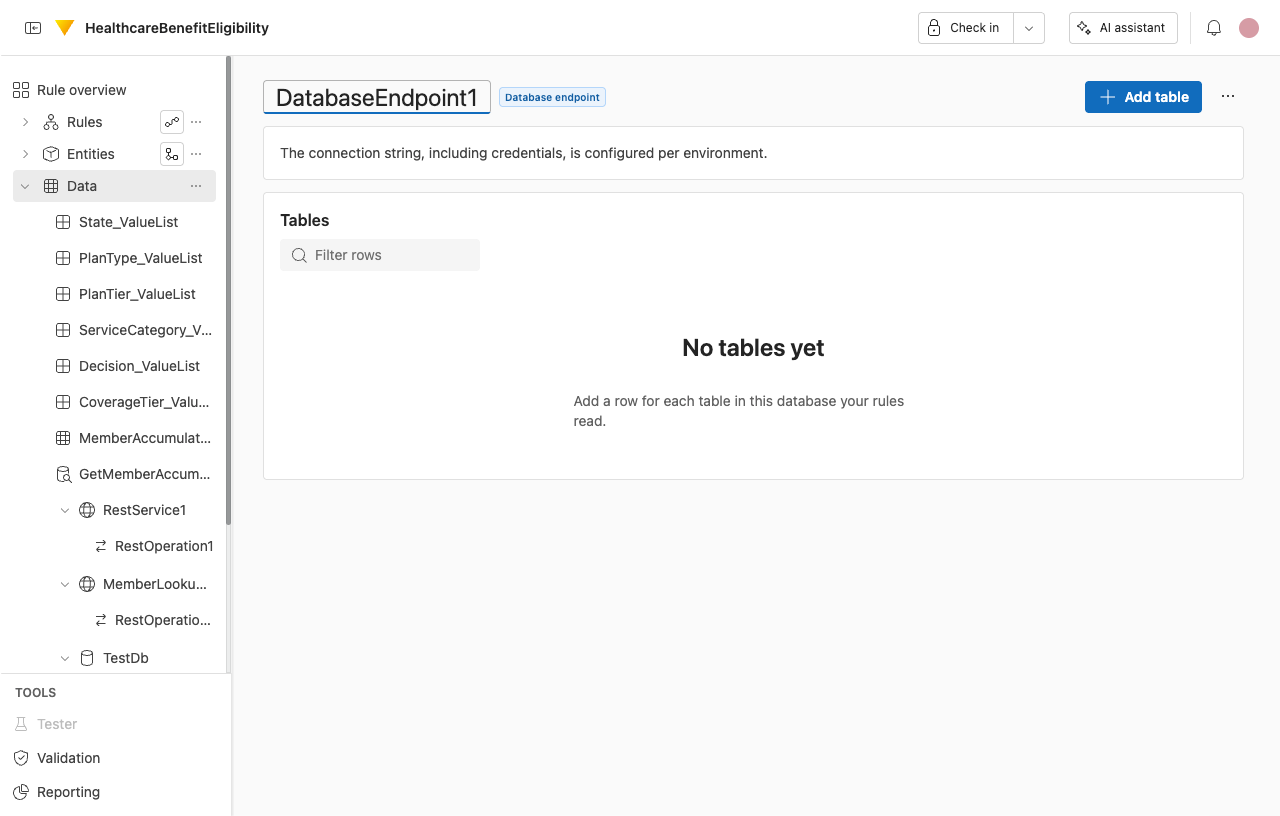
For endpoints created in irAuthor Web, connection credentials are configured per environment rather than entered into the rule application.
Connection Details by Environment
For these endpoints, an admin sets the connection details, including the user name and password, in each environment:
- In SaaS, an admin sets them as a tenant override in the Portal, keyed by the endpoint's name.
- In a self-hosted installation, an admin sets them in configuration.
irAuthor Web opens a rule application that already contains credentials in a database connection string, but doesn't display them.
Setting these environment values from irAuthor Web isn't available yet.
Add a SQL Query
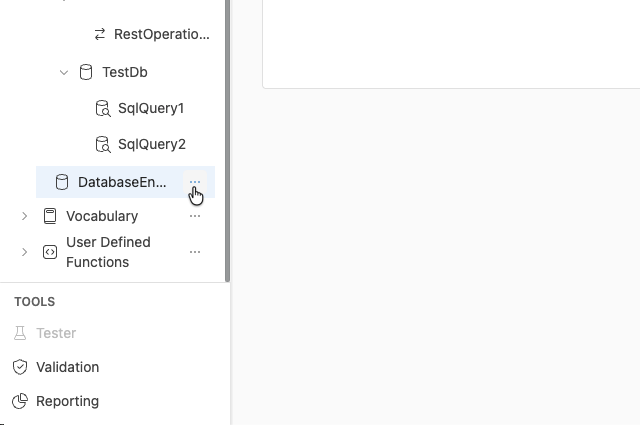
- Hover over the endpoint in the navigation pane and open its ellipsis menu (...).
- Select Add SQL query.
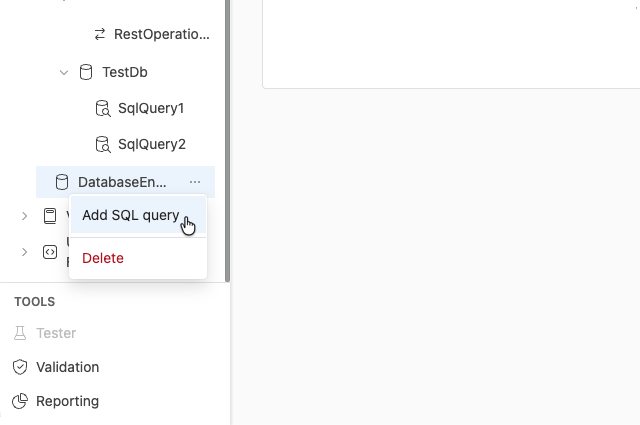
The new query appears under the endpoint and the SQL query editor opens. For the editor fields, see SQL queries.
A query name must be unique across all SQL queries in the rule application, including queries under an endpoint. A duplicate name isn't blocked as you type. It is reported in Validation as "Duplicate Name In Same Context."
Add Tables
The endpoint page lists the tables that its queries read, so they don't appear as separate items in the navigation pane. For an explanation of the fields mentioned in the following steps, see the section Table options below.
- Open the endpoint.
- In the Tables list, select Add table.
- Enter a Name for the table.
- Enter the Table name, as it appears in the database.
- Set the Cache duration.
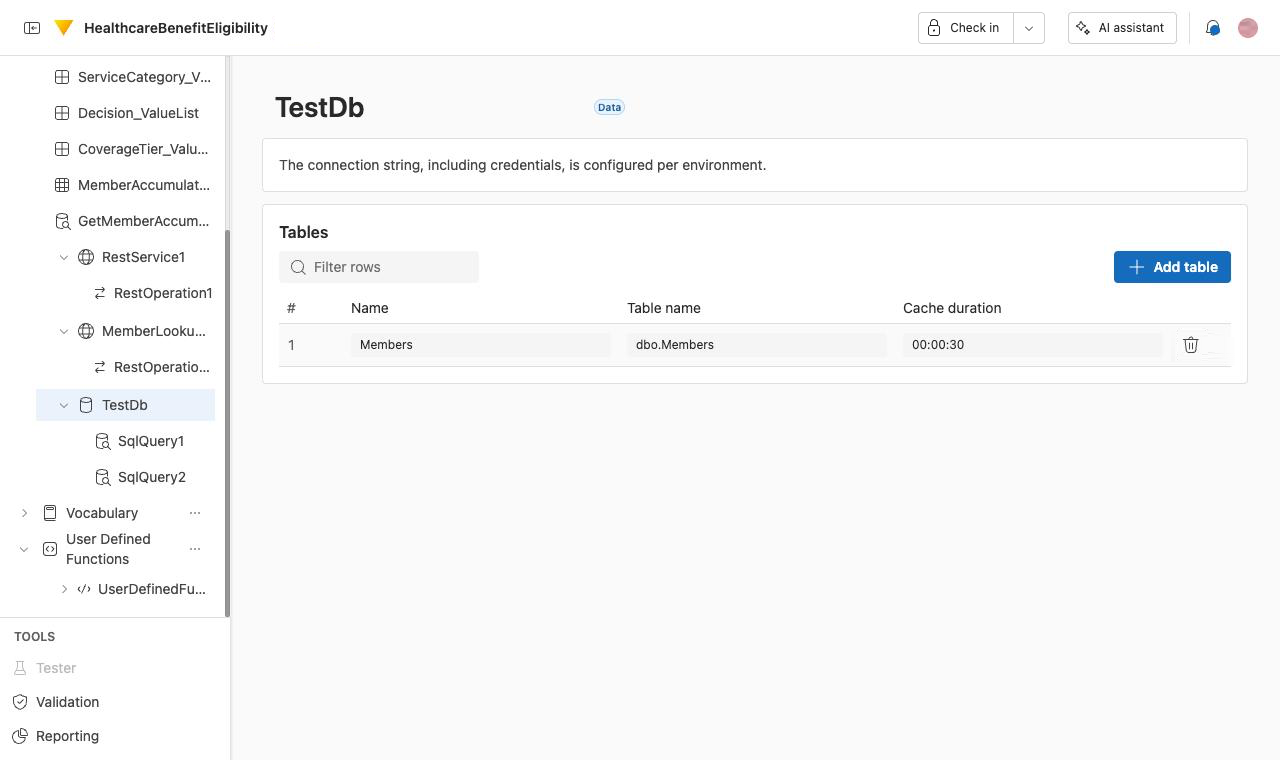
Table fields
Name
The name of the table in your rule application.
Table name
The table in the database.
Cache duration
How long results are reused before the database is queried again, in the format hh:mm:ss. For example, 00:00:30 is 30 seconds. A new table starts at 00:05:00. 00:00:00 turns caching off.
To remove a table, select the trash can icon on its row and confirm. To find a table in a long list, use the Filter rows box.
Limitations
- Connection details can't yet be set per environment from irAuthor Web.
- External database query execution isn't supported in irAuthor Web. See SQL queries.